01
An app, not a browser tab.
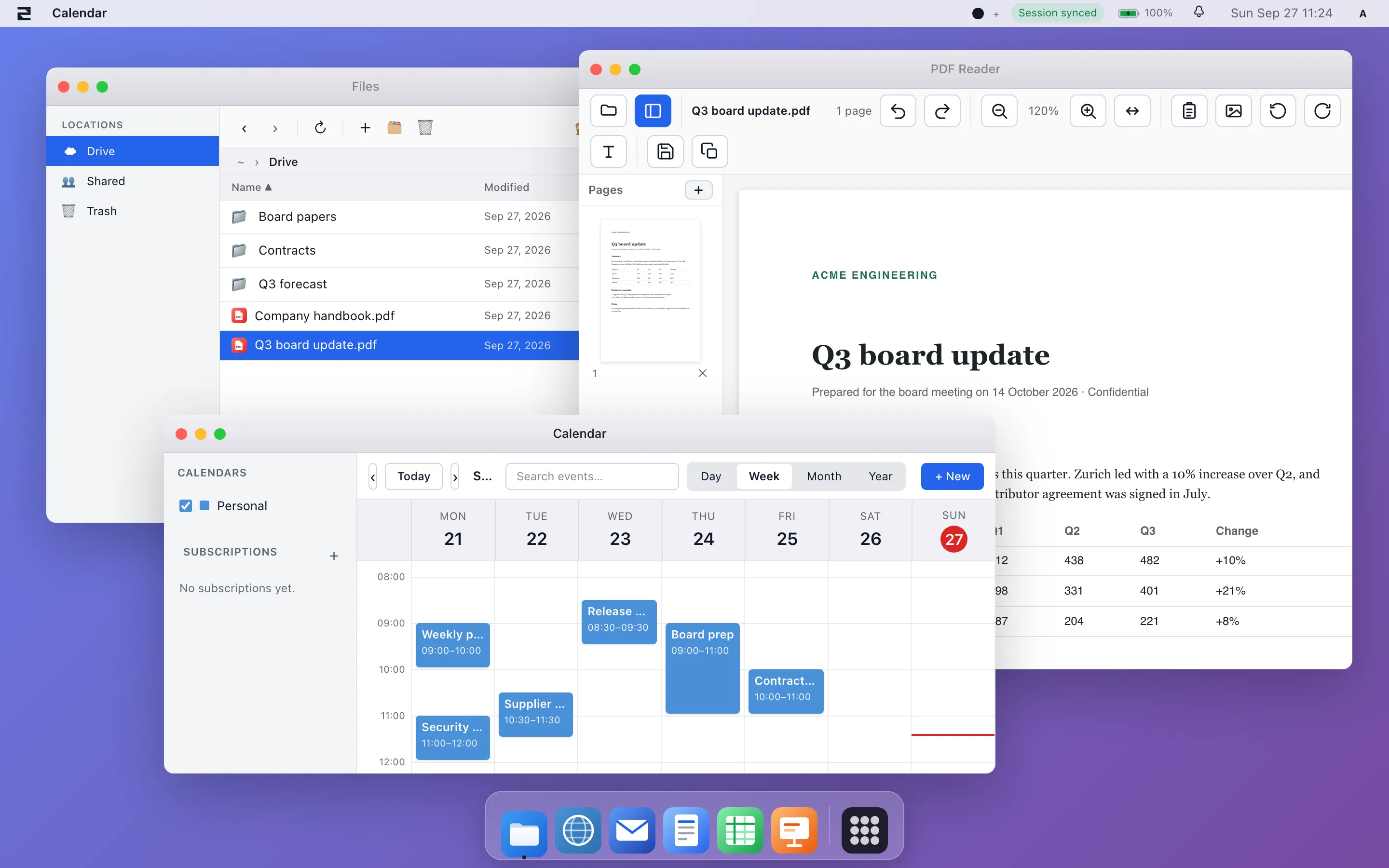
A native window with desktop notifications and fast local navigation. It stays open beside the other tools your people use.
swDesktop — native desktop client
One client for macOS, Windows and Linux. Connect it to swCollab, to swServer, or to both. Free with your workspace.
What it solves
01
A native window with desktop notifications and fast local navigation. It stays open beside the other tools your people use.
02
Connect it to swCollab, to swServer, or to both. There is one place to change between them.
03
The appliance ISO is a minimal Debian-based image. A dedicated machine starts straight into the workspace, with no other operating system to manage.
What it connects to
swDesktop is the front end, not a product you buy alone. Point it at what you already have.
| Connect it to | What you get on the desktop |
|---|---|
| swCollab Collaboration | Your spaces, pages, document libraries, tasks and requirements in a native window. |
| swServer Server | The full workspace, with files, office editing, chat and apps, as a desktop application. |
| Both The usual setup | Collaboration and the workspace server side by side in one client. |
Platforms
Installable builds run on all three systems. Public download follows code-signing. Downloads will appear here.
Apple silicon and Intel.
Windows 10 and 11, 64-bit.
Debian-based distributions.
Boots dedicated hardware into the workspace.
Everything swDesktop connects to already runs live.