Pages, projects and files.
In one place.
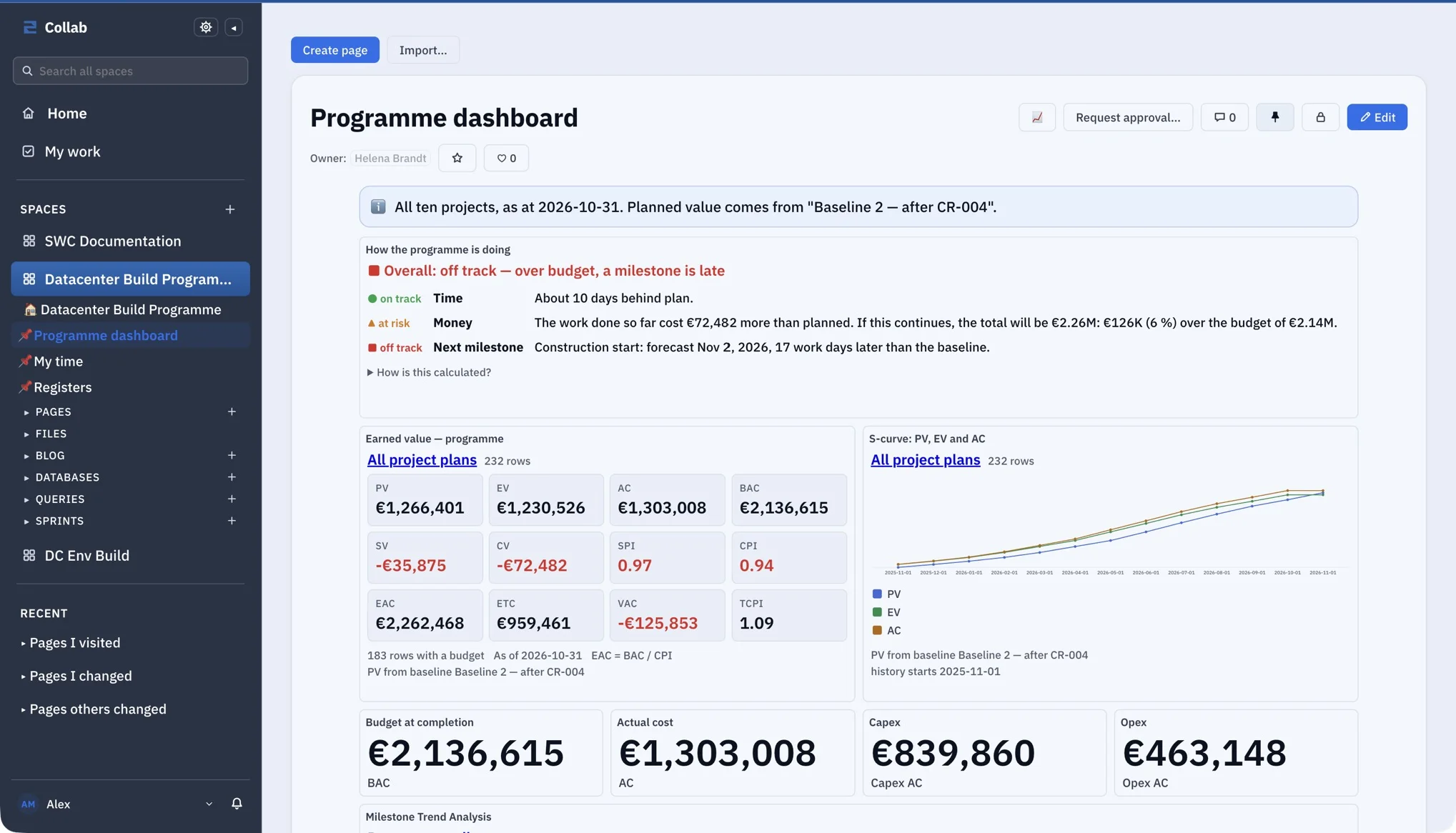
swCollab replaces Confluence, Jira and SharePoint with one tool. Write the documentation, plan the work and keep the files next to each other, on a server you control.
See how your team works with swCollab.
Three tools. One system.
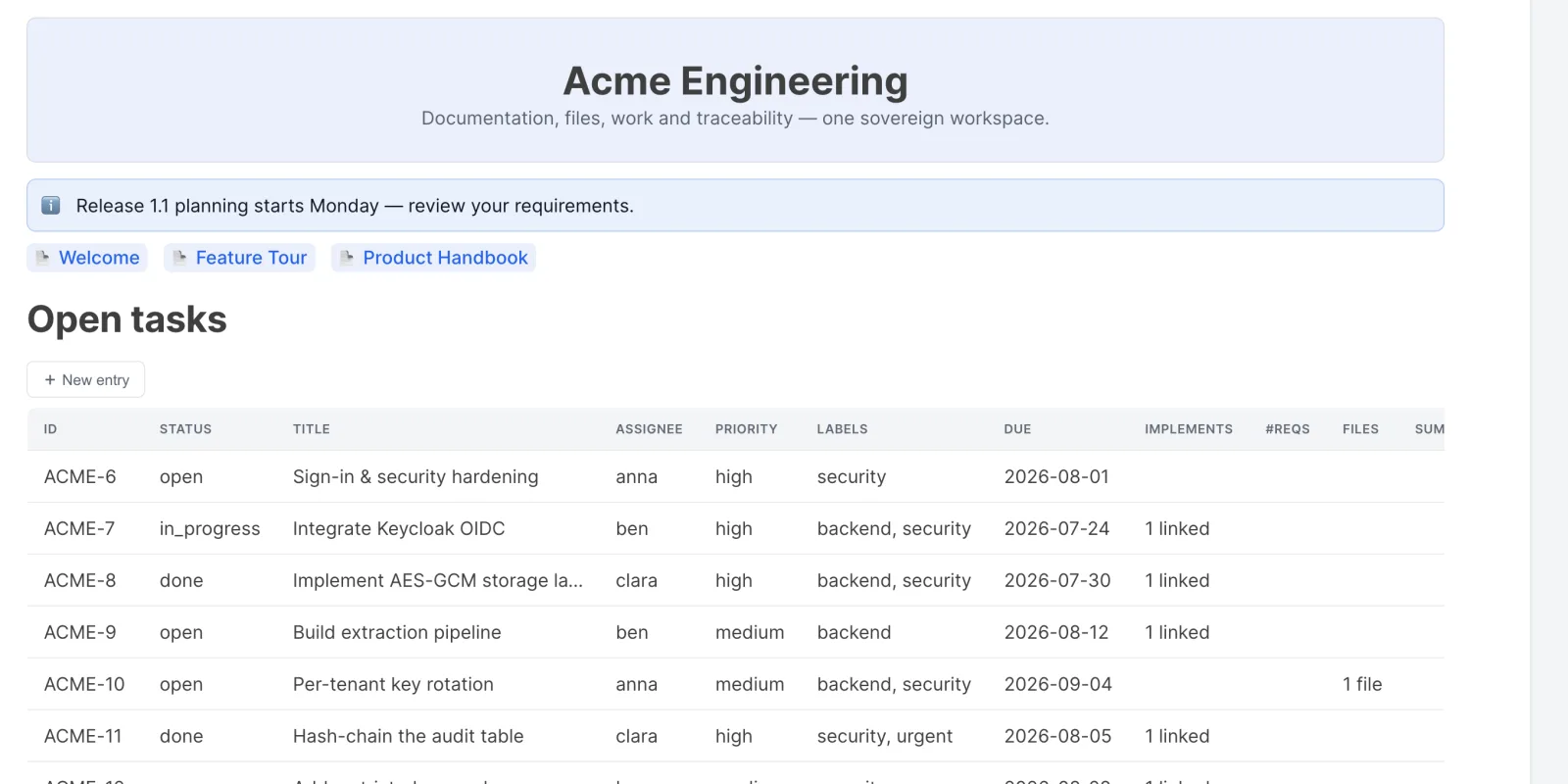
A page can show the open tasks of a project, live. A task can link to the contract that caused it. A file can belong to a requirement. Nothing is copied, and nothing goes out of date.
Write it once. It stays current.
Documentation, meeting notes, decisions and handbooks live in pages with a full editor. Put a live table, a chart or a timeline from a database into a page, and the page updates itself when the work changes.
- Page trees, templates and a search that finds every word
- Comments, mentions, versions and a compare of two versions
- Reviews and approvals, with a review date on each page
- Export a page or a whole space as PDF or Word
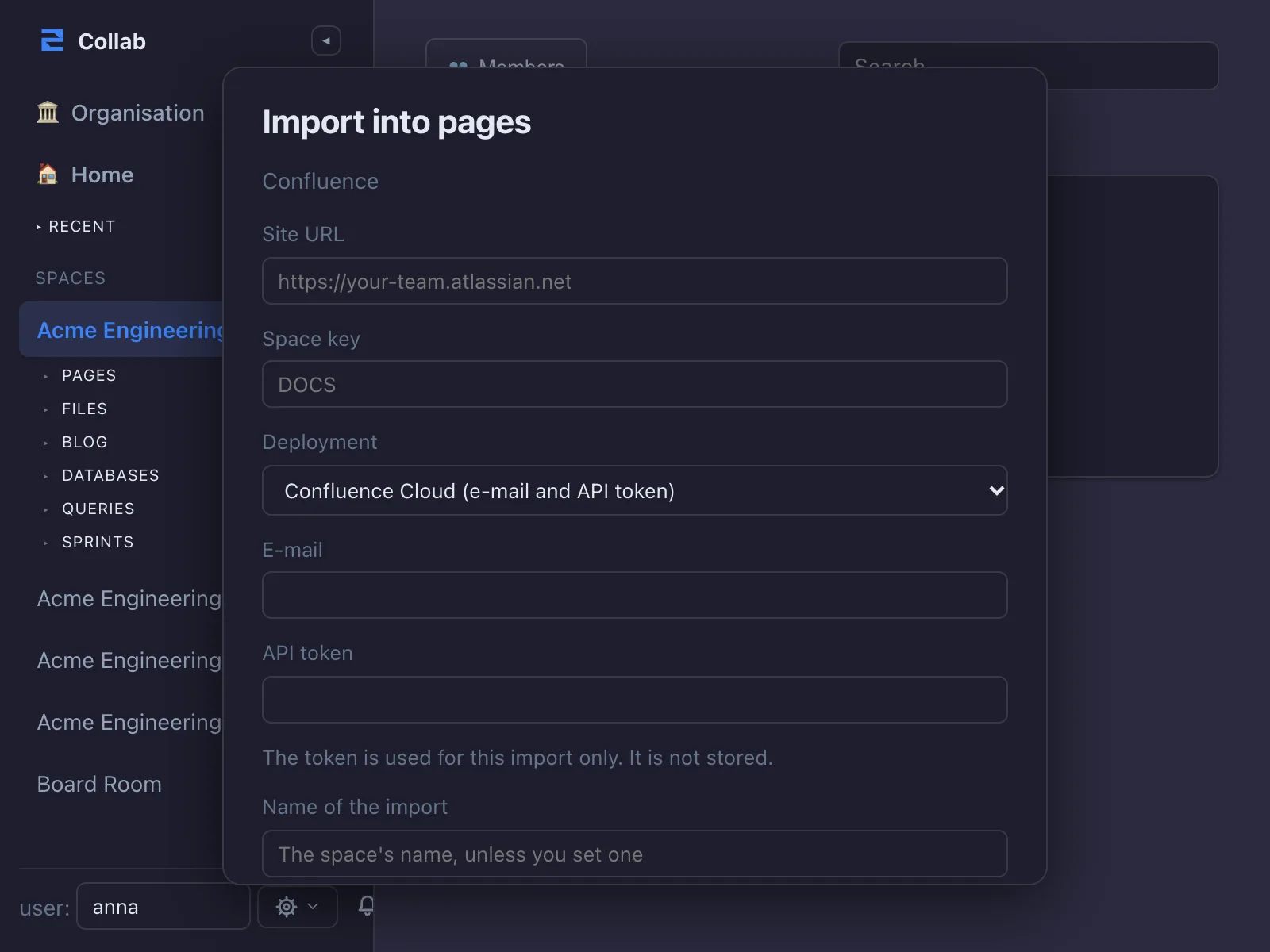
- Import from Confluence, Word and Markdown
Instead of Confluence.
Plan the work. See it your way.
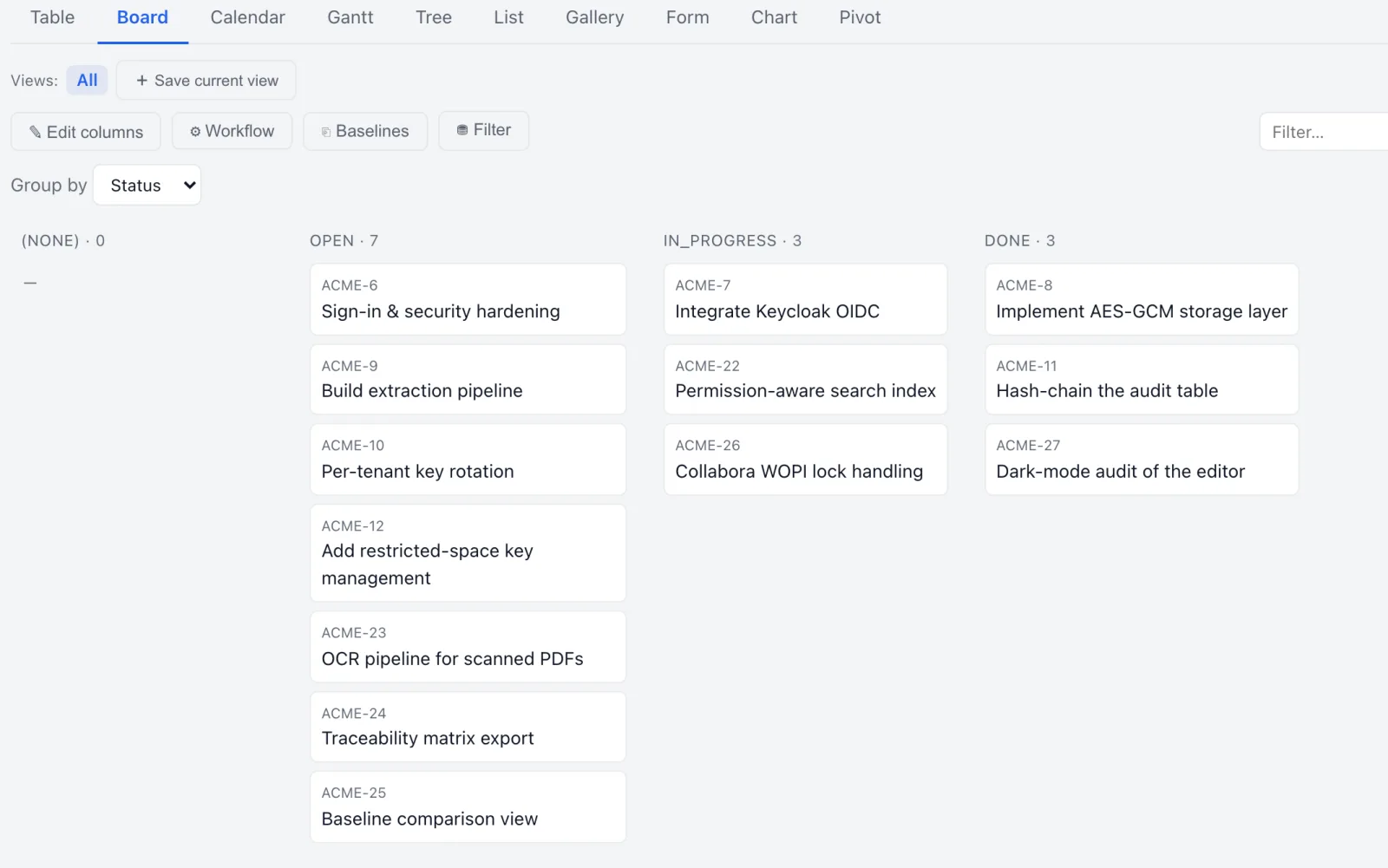
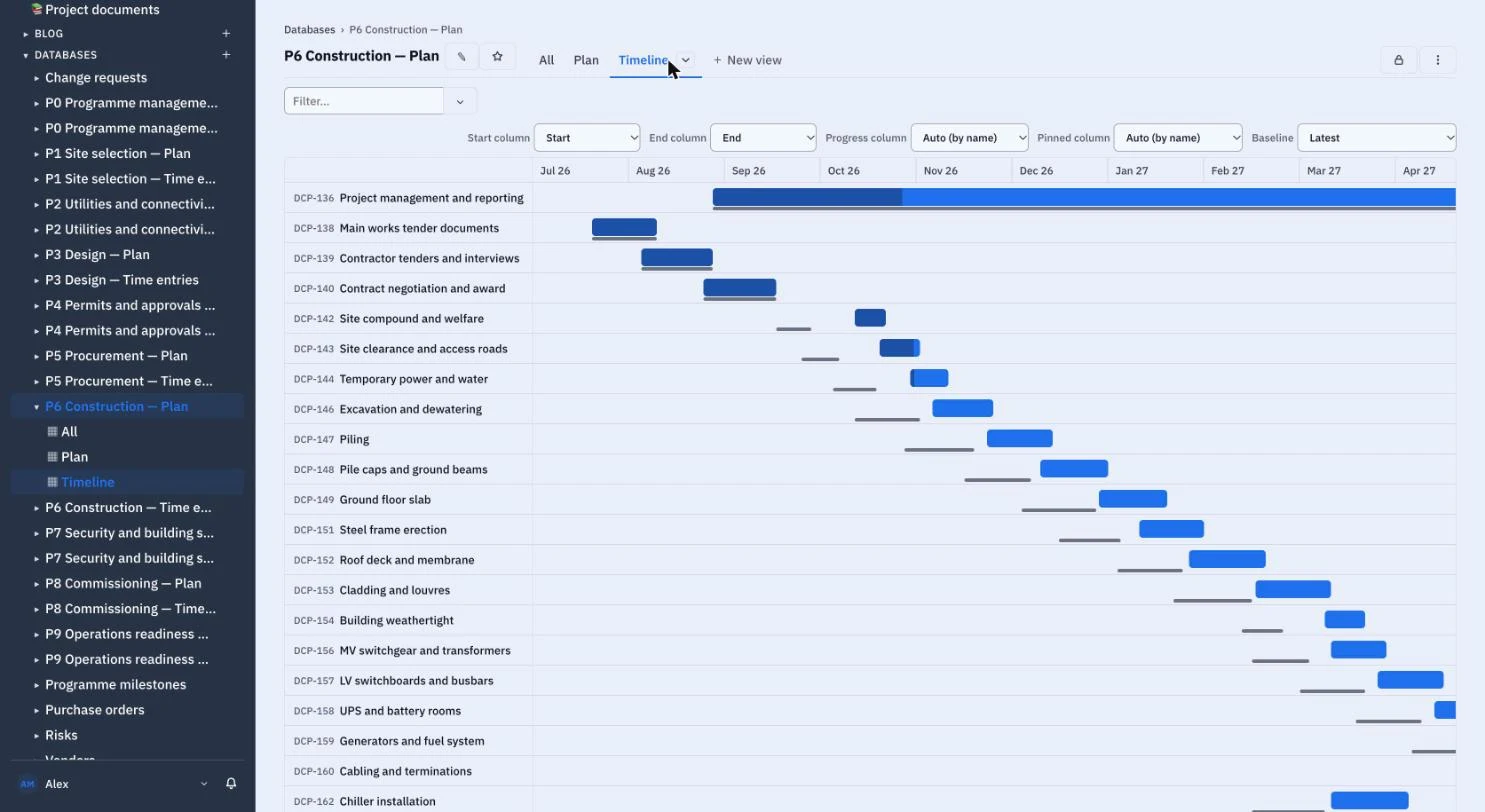
Tasks, requirements, risks, assets, customers: every list is a database with the fields you define. The same rows appear as a table, a board, a calendar, a Gantt chart or a chart. Move a card on the board, and every other view follows.
- Table, board, calendar, Gantt, tree, list, gallery, form, chart and pivot views
- Workflows with statuses, approvals and automations
- Dependencies, critical path and baselines for project plans
- Sprints for the team, dashboards for management
- Import from Jira: a CSV export or your Jira site
Instead of Jira.
Files with their meaning, not only a name.
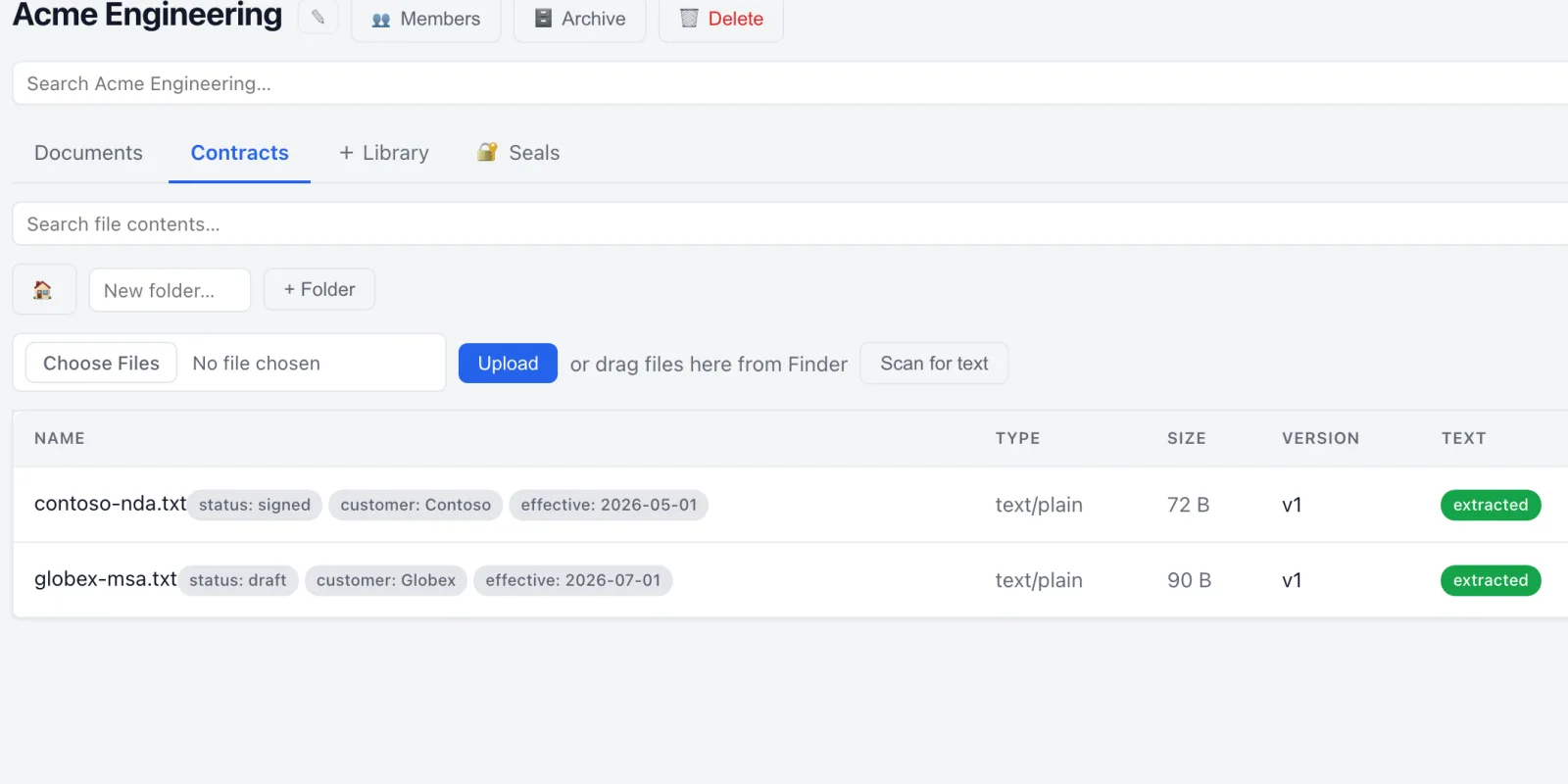
Contracts, drawings, scans and office documents live in libraries with folders, versions and the fields that matter: customer, status, effective date. Search looks inside the files. Scanned PDFs and images are read with OCR, so a scanned invoice is found by the words on it.
- Folders, libraries, tags and metadata on every file
- Every version is kept. Restore an old one at any time
- Full-text search inside PDFs, office files and scans (OCR)
- Documents, spreadsheets and presentations edited in the browser
- On your own server: sealed libraries for the files only a few may read
Instead of SharePoint.
Everything is linked. Everything is recorded.
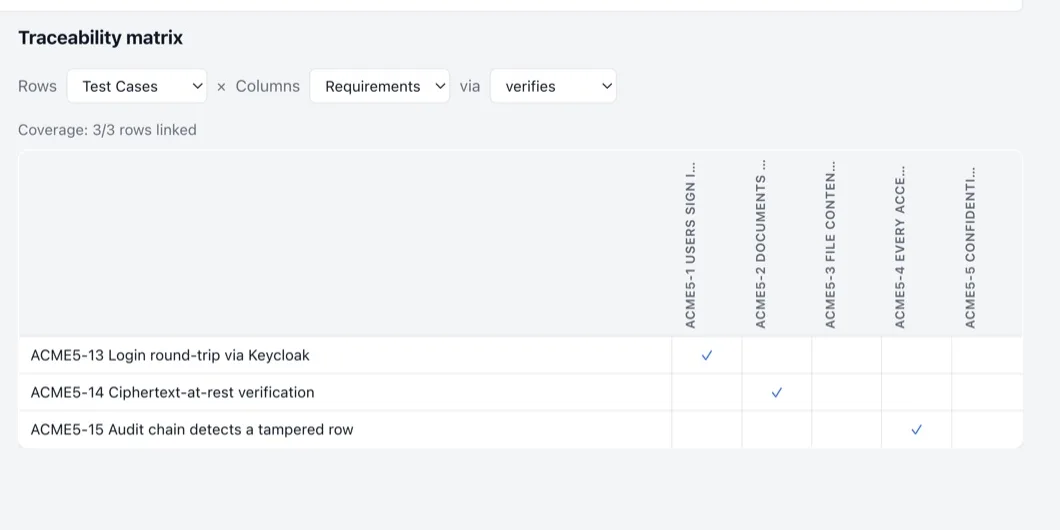
Pages, rows and files are objects of one system. Link a requirement to the task that implements it, the test that verifies it and the contract that demands it. The traceability matrix comes from these links. Nobody builds it in a spreadsheet.
Every change, and every page and file that was opened, goes into an audit log that cannot be altered afterwards. Who opened the contract, who approved the page, who moved the task: the answer is there when the auditor asks.
- Links between any page, row and file
- A traceability matrix with coverage
- A tamper-evident audit log of every change, and of every page and file that was opened
- Frozen baselines of a plan or a set of requirements
Your AI account. Your rules.
swCollab does not tie you to one AI vendor. An administrator connects the AI account of your company, or a model on your own server. The AI in the editor then improves a text, summarises a page, translates it or draws a diagram.
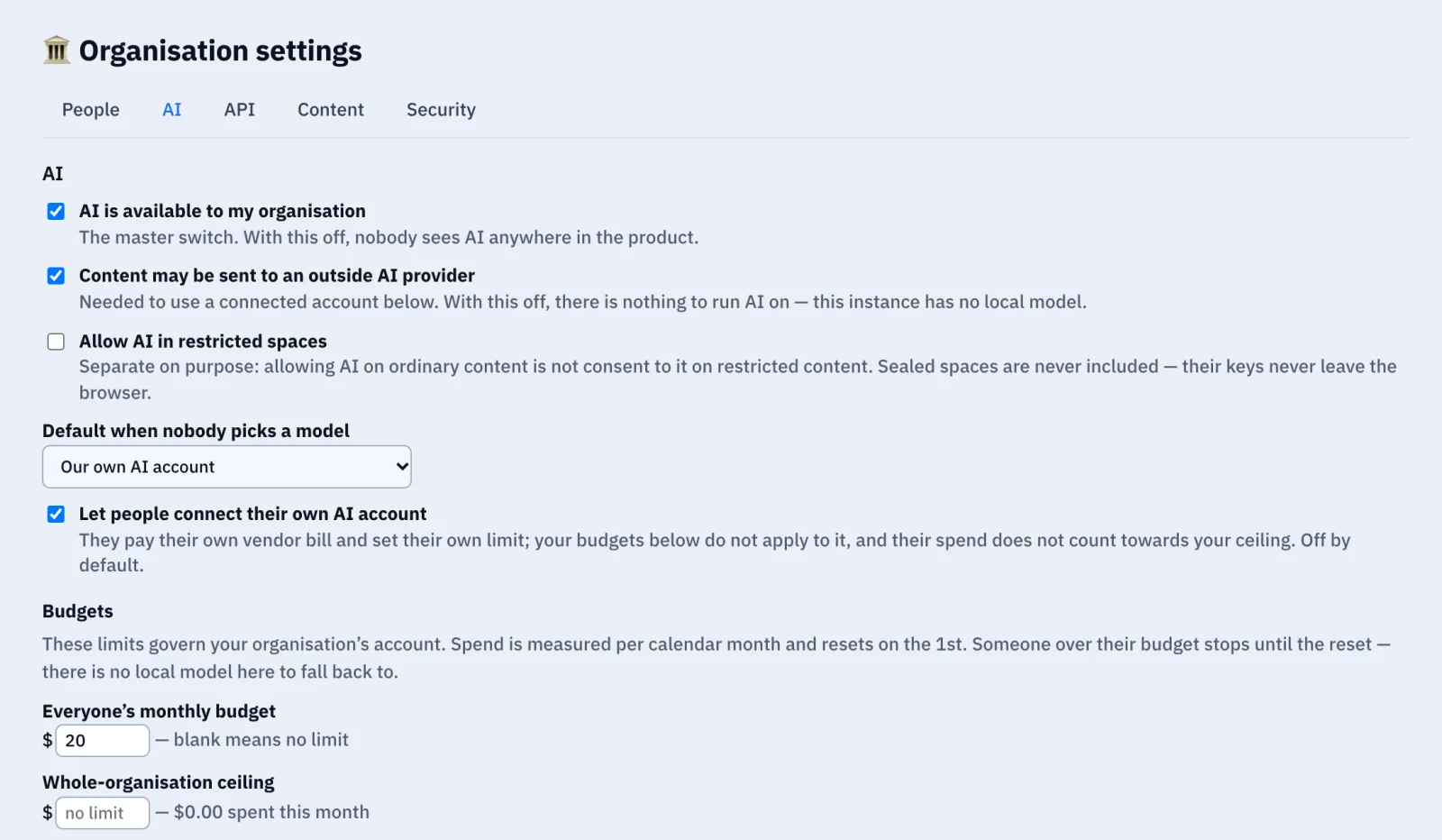
AI is off until an administrator turns it on. Sealed spaces never go to an AI, and restricted spaces need their own permission. An administrator can set a monthly budget for each person and can let people use their own AI account. API keys are stored encrypted.
Three steps.
- Choose where it runs. Managed by us at swunite.com, or on a server you own.
- Bring your content. Import your Confluence spaces and Jira projects. Word and Markdown work too.
- Invite your team. They sign in with your company login and start where they left off.
Self-hosted or managed.
Managed
We run it, update it and make the backups. You manage your users. Start today.
Start at swunite.comYour own server
Install it on a server you own, in your network or in a cloud you choose. One annual licence.
Free 30-day trial.
Plus, planned price per year: €490 up to 10 users · €990 up to 25 · €2,490 up to 100 · €4,990 unlimited.
Business, planned price per year: €990 up to 10 users · €1,990 up to 25 · €4,990 up to 100 · €9,990 unlimited. Business adds requirements traceability, restricted spaces and audit log export.
Prices exclude VAT.
Get a trial licenceReplace three tools with one.
See swCollab in the live demo, or start a free trial for your team.